











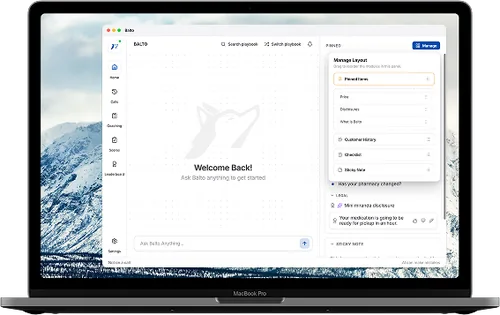
Download Balto
The Balto desktop app for Windows and Mac, plus everything you need to get set up and unstuck. Sign in to Balto Cloud to download.
Installers live on the Deploy Balto page, available to current customers. Sign in with your Balto Cloud credentials to download. Need access? support@balto.ai
Get set up and supported
Guides, training, and a real person whenever you need one.
Docs Hub
Install, API, integration, security, and SSO guides, all in one place.
Balto Academy
Self-paced onboarding courses to help new users get the most out of Balto.
System status
99.5%+ uptime, with a live status page you can check any time.
Contact support
Email support@balto.ai, message us in chat, or ask your CSM.
FAQs
The desktop app is for current Balto customers. Sign in to Balto Cloud with your credentials to reach the Deploy Balto page, then grab the installer for your operating system.
On the Balto Cloud login screen, use “Forgot password” to get a reset link by email. If you’re still locked out, email support@balto.ai and we’ll help.
Managers sign in to Balto Cloud in the browser. Agents open the desktop app and sign in with the credentials your admin set up. Your customer success manager can help provision new users.
Make sure your operating system has granted Balto microphone access, pick the right input device in the app’s audio settings, and restart the app. If it keeps happening, reach out to support@balto.ai.
Playbooks are assigned by your admin based on your team or queue. If the wrong one is loading, check with your manager or CSM to update your assignment.
The Docs Hub keeps installation, API, integration, security, and SSO guides in one place.
Still need a hand?
Our team is here by email, chat, and through your customer success manager.