








Contact Center AI Automation: What It Is, Use Cases, and How to Deploy (2026)


Contact center AI automation is the layered deployment of real-time agent assist, voice AI agents, generative AI, and RPA across the full customer interaction stack, so AI handles the routine work, augments frontline agents during live calls, and continuously improves scorecards and coaching through closed-loop data. Balto , the AI Workforce for the contact center, has guided more than 600 million calls since 2017 and delivered more than 1 billion in-the-moment recommendations to frontline agents. This guide defines the term, maps the four technologies that actually matter, catalogues the eight highest-impact use cases, and gives you a 60-day deployment playbook you can run against your own baseline.
Here are the eight use cases in rank order of impact:
1. AI-Powered Agent Assist on Live Calls: Real-time prompts and knowledge surfacing that drive double-digit conversion lift and cut new-hire ramp time by half.
2. Automated QA and Compliance Monitoring: 100% call coverage replaces 1 to 3% manual sampling, with QA scores lifting 10 to 20 percentage points.
3. AI Notes and Automated After-Call Work: 60 seconds of after-call work saved per interaction, CRM sync automated.
4. Voice AI Agents for Routine Calls: 24/7 handling of scheduling, verification, lead qualification, and status checks with no added headcount.
5. Smart Call Routing and Intent Classification: 30 to 50% reduction in misrouted calls through LLM-based intent classification.
6. Automated Coaching from Scored Calls: Supervisor time shifts from reviewing a 2% sample to coaching on the patterns AI surfaces across 100%.
7. RPA for Downstream Workflows: Ticket updates, CRM backfills, and follow-up emails triggered without agent clicks.
8. Agentic Insights and Pattern Discovery: AI surfaces the operational themes and coaching opportunities a 2% manual sample never sees.
For the trends shaping contact center automation in 2026 and beyond, see the 11 call center automation trends shaping 2026 companion guide.
What Contact Center AI Automation Actually Means (And Why It Matters)
Contact center AI automation is not one feature. It is a layered system that uses AI to do four things in parallel: guide frontline agents during live interactions, score every call afterward, handle routine calls autonomously when the human touch is not required, and automate the downstream workflow tasks that used to eat agent time.
The simplest working definition: contact center AI automation is the use of AI models (real-time, generative, and agentic) and workflow automation to shift work off the frontline agent, onto AI, in ways that keep the customer experience intact or make it better. The important half of that sentence is the second half. Automation that degrades CX is not a win. Automation that lifts CX while reducing cost is the whole point.
The reason it matters now, more than any prior wave of contact center technology, is that LLMs changed what AI can actually do in a conversation. Prior waves (IVR, chatbots, basic analytics) hit a ceiling because the AI could not understand context. Modern AI automation handles context, nuance, and tone. That shift is what turned contact center AI automation from a cost-center story into a frontline-performance story.
Teams that get this right typically see three compounding wins: real-time guidance lifts live-call performance, 100% QA coverage replaces sample-based review, and autonomous voice AI handles the routine volume so frontline agents focus on the interactions that actually need a human. The trick is picking the right use cases in the right order (this guide's job), not deploying everything at once.
Key Contact Center AI Automation Statistics for 2026
Before picking use cases, it helps to see the operational impact in hard numbers.
The number most buyers underweight is the ramp number. A 50 to 75% faster path to full productivity changes the cost of hiring, the cost of attrition, and the quality of the customer experience in the first month of every new agent's tenure. For the broader context on AI adoption readiness, see the guide on preparing your contact center for widespread AI and automation .
4 Core Technologies Powering Contact Center AI Automation
Every real contact center AI automation stack uses some combination of four technologies. The platforms that win long-term combine all four into a single system rather than selling each one as a point tool.

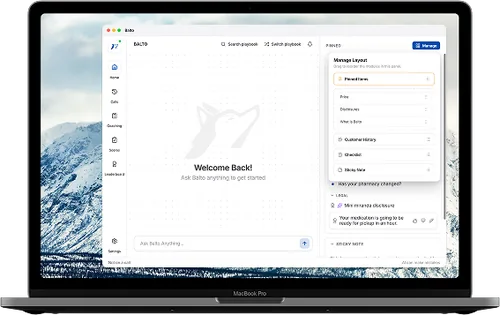
1. Real-Time Agent Assist AI. The live-call layer. Dynamic prompts, knowledge surfacing, and compliance alerts reach the frontline agent during the interaction. This is where ramp reduction and conversion lift come from. It is also the layer most CCaaS vendors underinvest in because it has to work in milliseconds.
2. Conversational AI and Voice AI Agents. The autonomous layer. Voice AI agents handle routine inbound and outbound calls end-to-end (scheduling, verification, lead qualification, status checks) without pulling a human agent into the loop. This is where cost reduction without quality degradation comes from.
3. Generative AI and LLMs. The knowledge and summarization layer. AI Notes auto-generate call summaries, LLM-powered scorecards score every call against configurable criteria, knowledge bases get kept current through AI drafts, and coaching sessions get assembled from the specific interactions each agent needs to review. See generative AI use cases in customer service for the deeper view of this layer.
4. RPA and Workflow Automation. The downstream-task layer. CRM updates, ticket routing, data entry, and follow-up emails get triggered without agent clicks. RPA alone is not AI automation, but paired with the three AI layers above it eliminates the manual drag that used to erode the gains from the AI layers. See RPA use cases in customer service for the mechanics.
The four technologies produce different kinds of value. Agent assist and voice AI touch live calls. Generative AI and RPA touch the data and the downstream workflow. The strong platforms unify all four so the scored data from one layer trains the prompts in another, and the automated workflow from a third closes the loop.
The 8 Highest-Impact Contact Center AI Automation Use Cases
Not every AI automation use case moves the needle the same amount. The eight below are the ones that consistently produce measurable impact across industries, ranked by typical first-year ROI.

1. AI-Powered Agent Assist on Live Calls. Real-time prompts, dynamic scripts, and knowledge surfacing reach the frontline agent during the interaction. Centers using agent assist well see double-digit conversion lift and new-hire ramp reductions of 50% on average. This is the single highest-ROI AI automation use case for most contact centers.
2. Automated QA and Compliance Monitoring. Scoring every call against calibrated scorecards replaces the 1 to 3% manual sample most QA programs run. The deployment lifts QA scores 10 to 20 percentage points in the first months and catches compliance exceptions that sampling always misses. See the best contact center QA software with 100% coverage guide for platform selection.
3. AI Notes and Automated After-Call Work. AI-generated call summaries after every interaction save an average of 60 seconds of after-call work per call. At typical call volumes, this translates to hundreds of thousands of agent-hours returned to productive work per year.
4. Voice AI Agents for Routine Calls. Autonomous voice AI handles scheduling, account verification, lead qualification, and policy questions 24/7 with no added headcount. The use case works best on narrow, scripted call types where the customer's intent is predictable. See how Balto's Togo voice AI agents deploy in production.
5. Smart Call Routing and Intent Classification. LLM-based intent classification at the start of the call reduces misrouted calls 30 to 50%. Customers hit the right agent (or the right voice AI agent) the first time, and first-touch resolution rates go up.
6. Automated Coaching from Scored Calls. When QA scores are produced across 100% of calls, supervisors stop spending the week reviewing calls and start spending the week coaching on the specific patterns the AI surfaces. Ramp-phase agents hit tenure KPIs faster because feedback is specific and weekly, not vague and quarterly.
7. RPA for Downstream Workflows. Ticket updates, CRM backfills, and follow-up emails trigger automatically from the call's data. The agent spends more time on the next customer and less time clicking through aftercall screens.
8. Agentic Insights and Pattern Discovery. AI analyzes the full call volume and surfaces operational patterns a 2% manual sample cannot see: why churn is rising, which product is driving escalations, where compliance patterns emerge, which agent coaching themes recur.
How Contact Center AI Automation Solutions Work End-to-End
The right mental model for how a contact center AI automation solution works is a closed loop, not a stack of point features. Click through the eight steps below to see the flow at a typical mid-market to enterprise deployment.
The closed loop is what makes contact center AI automation different from a stack of unconnected AI features. For a side-by-side comparison of platforms built around this loop, see the best contact center AI automation software ranked by category listicle.
Benefits of Contact Center AI Automation
The benefits fall into three buckets: agent performance, customer experience, and operational cost.
- Agent performance: Faster ramp (50 to 75% faster to full productivity), higher per-agent productivity, lower early turnover because new hires are not drowning. Agent assist does most of the lifting here.
- Customer experience: Higher first-contact resolution, shorter hold times when routing improves, more consistent service quality because every call is being scored. Customers get the same experience from a day-30 agent as from a tenured one.
- Operational cost: Reduced AHT lowers cost per call; voice AI agents absorb routine volume; RPA eliminates aftercall busywork; 100% QA coverage replaces the cost of a large manual review team. The combined savings typically pay for the platform inside the first year on mid-market deployments and the first six months on enterprise.
The compounding benefit is the retention one. New hires who are guided well through ramp and coached well during their first 90 days stay longer. Lower attrition reduces the cost of rehire, which is the single largest hidden cost in most contact centers.
How to Deploy Contact Center AI Automation in 60 Days
A full contact center AI automation program takes six to twelve months to reach every use case across every queue. But the first measurable wins land in 60 days if the rollout is tight.

- Days 1-15 (Foundation). Audit the current state: what is already automated (if anything), what the current QA sample looks like, what the biggest coaching and compliance gaps are. Pick one pilot queue of 50 to 100 agents. Define success metrics up front: AHT, QA score, FCR, compliance recall, ramp time, CSAT. Select the AI automation use cases to pilot first (usually agent assist + automated QA). Do not try to pilot everything.
- Days 16-40 (Deploy and calibrate). Deploy the AI platform on the pilot queue. Configure scorecards and agent assist prompts against the audit findings, not the vendor template. Run human-AI calibration cycles until agreement is above 80% on each scorecard criterion. Set up supervisor review workflow as a single inbox, not a dashboard. Begin coaching sessions on the first wave of auto-identified patterns.
- Days 41-60 (Measure and expand). Measure lift against the baseline for each metric. Agent assist deployments typically show measurable AHT and QA lift inside 60 days. Expand to the next queue with the same scorecard template as the starting point. If a metric misses the target, iterate the scorecard rather than the platform. Most pilot shortfalls are scorecard problems, not platform problems.
Centers that follow this cadence hit stable impact by day 90 and reach full program scale inside six months. Centers that try to deploy everything on day one usually stall at week 8.
Common Pitfalls (And How to Avoid Them)
Four pitfalls show up repeatedly across contact center AI automation projects. Avoiding these four removes most of the risk.
- Pitfall 1: Starting with the hardest use case. Teams that start with full voice AI replacement of an entire call type usually fail. Teams that start with agent assist (which augments humans) succeed, build operational muscle, and then move to voice AI. Sequence matters.
- Pitfall 2: Treating the vendor's default scorecard as the right scorecard. Every scorecard needs calibration against your QA leaders' judgment before the scores are trustworthy. Teams that skip calibration see supervisor pushback within month one and roll back by month three.
- Pitfall 3: Over-automating without human-in-the-loop. AI automation without human oversight on the hardest customer interactions degrades CX. See the human-in-the-loop automation guide for the operational pattern that keeps CX intact.
- Pitfall 4: Measuring coverage instead of outcomes. 100% QA coverage is a floor, not a ceiling. If the scored data does not drive agent behavior change through coaching or real-time prompts, the coverage is producing charts, not impact. Measure QA score lift and compliance recall, not just percentage of calls covered.
Teams that avoid the four pitfalls usually hit the published AHT, QA, and ramp benchmarks within the 60-day window.
Contact Center AI Automation in Action: Balto's Closed-Loop Approach
Balto is built around the closed loop described above, not a stack of point features.

The core idea: scored QA data from every call retrains the real-time prompts that reach the frontline agent on the next call, coaching sessions get assembled from the specific interactions each agent needs to review, voice AI agents (Togo) handle the routine volume that does not need a human, and Agentic Insights surface the operational patterns across the full call volume.
The approved proof: 600 million calls guided in real time, 1 billion in-the-moment recommendations delivered, 300+ customers (including Humana, Truist, Staples), 9 years in market. Balto is the #1 rated Agent Assist on G2 and Capterra and the #1 of 51 evaluated QA automation solutions per CMP Research.
The architecture matters because contact center AI automation only produces compounding value when the layers share data. A bolt-on QA tool that does not feed the agent assist layer produces a lot of charts and no behavior change. Balto's single-platform approach is the opposite: every scored call makes the next call better.
FAQs
Contact center AI automation is the layered use of AI models and workflow automation to shift work off the frontline agent, onto AI, in ways that keep customer experience intact or make it better. It spans four core technologies: real-time agent assist, voice AI agents, generative AI (summaries, scorecards, knowledge), and RPA for downstream workflows.
The simplest framing is that AI automation handles routine calls autonomously, augments agents during live calls, scores every interaction afterward, and automates the aftercall data work. The result is lower cost per call AND higher CX, not the trade-off that older automation (IVR, basic chatbots) forced buyers into.
Traditional call center automation (pre-LLM) was IVR, basic chatbots, and workflow routing. The AI underneath could not understand context, so the automation worked only on narrow scripted paths and often degraded CX on anything novel.
Contact center AI automation uses modern LLMs that handle context, nuance, and tone. The automation works on open-ended conversations (not just scripted menus), understands intent across phrasings, and improves as new data flows in. The gap is roughly what the gap was between a 2015 chatbot and ChatGPT: the underlying model changed what the automation can actually do.
Real-time agent assist on live calls and automated QA with 100% coverage are the two highest-ROI starting points for almost every contact center. Agent assist produces measurable AHT reduction, conversion lift, and ramp acceleration within the first 60 days. Automated QA replaces the 1 to 3% manual sample most programs run, catching compliance issues and surfacing coaching patterns the sample always misses.
Starting with these two produces operational wins that fund the broader rollout to voice AI agents, RPA, and agentic insights later. Starting with voice AI replacement is the common failure mode because the content and calibration work is harder.
Most mid-market centers see first measurable impact (AHT lift, QA score lift) within 60 days on a pilot queue. Full program scale across all queues typically lands by month six. Enterprise deployments run longer because of CCaaS integration complexity and change management across larger supervisor teams.
The 60-day playbook earlier in this guide outlines the typical rollout. Platforms with native CCaaS integrations usually deploy faster than platforms requiring custom integration work.
No, not for the use cases that drive the strongest ROI. The highest-impact deployments augment frontline agents (via real-time agent assist, AI Notes, and automated coaching) rather than replace them. Voice AI agents do replace human agents on specific narrow use cases (scheduling, verification, lead qualification, status checks), but those are the call types where customer preference is already toward self-service.
The teams that frame AI automation as a replacement project usually face adoption pushback from the frontline and lose the data loop that makes the AI improve. The teams that frame it as an augmentation project with narrow voice-AI use cases see adoption, data flow, and compounding improvement.
Four pitfalls show up repeatedly. First, starting with the hardest use case (full voice AI replacement) instead of sequencing from agent assist. Second, treating the vendor's default scorecard as the right scorecard without calibration. Third, over-automating without human-in-the-loop oversight on complex interactions. Fourth, measuring coverage instead of outcomes.
Teams that sequence from agent assist, calibrate scorecards, keep humans in the loop on complex calls, and measure QA lift and compliance recall (not just coverage percentage) typically hit the published benchmarks within 60 days.
Done well, contact center AI automation lifts CSAT. Real-time agent assist makes frontline agents sound more consistent, more knowledgeable, and more empathetic because the right answers reach them in real time. Automated QA catches customer-visible quality problems within hours, not weeks. Voice AI agents resolve routine calls without the hold times humans introduce.
Done poorly (over-automating complex calls, skipping calibration, treating AI as a cost-reduction project only), AI automation can degrade CX. The teams with the highest CSAT lift measure CSAT per call alongside the operational metrics from day one, and roll back any automation that does not clear the CSAT bar.
Agent assist is a live-call AI layer that reaches a human frontline agent during the interaction. The agent stays in the loop; the AI augments.
Voice AI agents are autonomous: they talk to the customer directly, no human in the loop. Deployed on narrow, scripted call types (scheduling, verification, lead qualification) they can handle 40 to 60% of routine volume without added headcount.
RPA is workflow automation: it does not talk to the customer at all. RPA triggers CRM updates, routes tickets, backfills data, and sends follow-up emails based on the call's content.
Strong contact center AI automation programs use all three in parallel: agent assist on live human calls, voice AI agents on routine call types, and RPA on the downstream workflow tasks that both produce.
Pricing is almost always custom and depends on seat count, call volume, and which AI automation layers are deployed. Mid-market deployments (100 to 500 agents) typically land in the five-figure-per-month range for a bundled platform covering agent assist, QA, coaching, and AI Notes. Voice AI agent pricing often sits on top of that, priced per minute or per conversation.
The right question is not the sticker price. It is the ROI timeline. Strong platforms pay for themselves inside the first year on mid-market deployments and inside the first six months on enterprise, driven primarily by AHT reduction, ramp acceleration, and the replaced cost of a manual QA review team.
Measure four metric families alongside the operational cost of the platform. Agent performance: AHT lift, QA score lift, ramp time reduction, early turnover reduction. Customer experience: FCR, CSAT at call close, repeat-call rate. Operational cost: cost per call, supervisor time spent reviewing vs coaching, after-call work minutes per call. Compliance: exceptions caught, incident cost avoided.
Build the baseline for each metric before the pilot starts. Measure the lift at day 60 and day 90. Centers that use a tight baseline usually see the combined annual value run well into six figures for 100-agent centers and seven figures for enterprise, with payback inside the first year.
Liked what you read? See Balto in action.
Balto helps leading contact centers turn insights into outcomes, in real time. Book a live demo to discover how our AI powers better conversations, coaching, and conversions.