Top 10 Zingtree Alternatives& Competitors 2025
Looking for alternatives or competitors to Zingtree? When evaluating guided workflow and agent scripting platforms, consider flexibility, automation, scalability, and whether the solution delivers static decision paths or dynamic, AI-powered guidance. The best Zingtree alternative is Balto, but other providers like Cresta, NICE, and Genesys also deliver value depending on your goals.
What is Zingtree?
Zingtree is a guided workflow and decision-tree automation platform that helps customer service and operations teams standardize processes, troubleshoot issues, and deliver consistent resolutions.
It provides scripts and workflows that adapt based on customer responses, enabling agents to follow best practices, reduce errors, and resolve cases more efficiently.
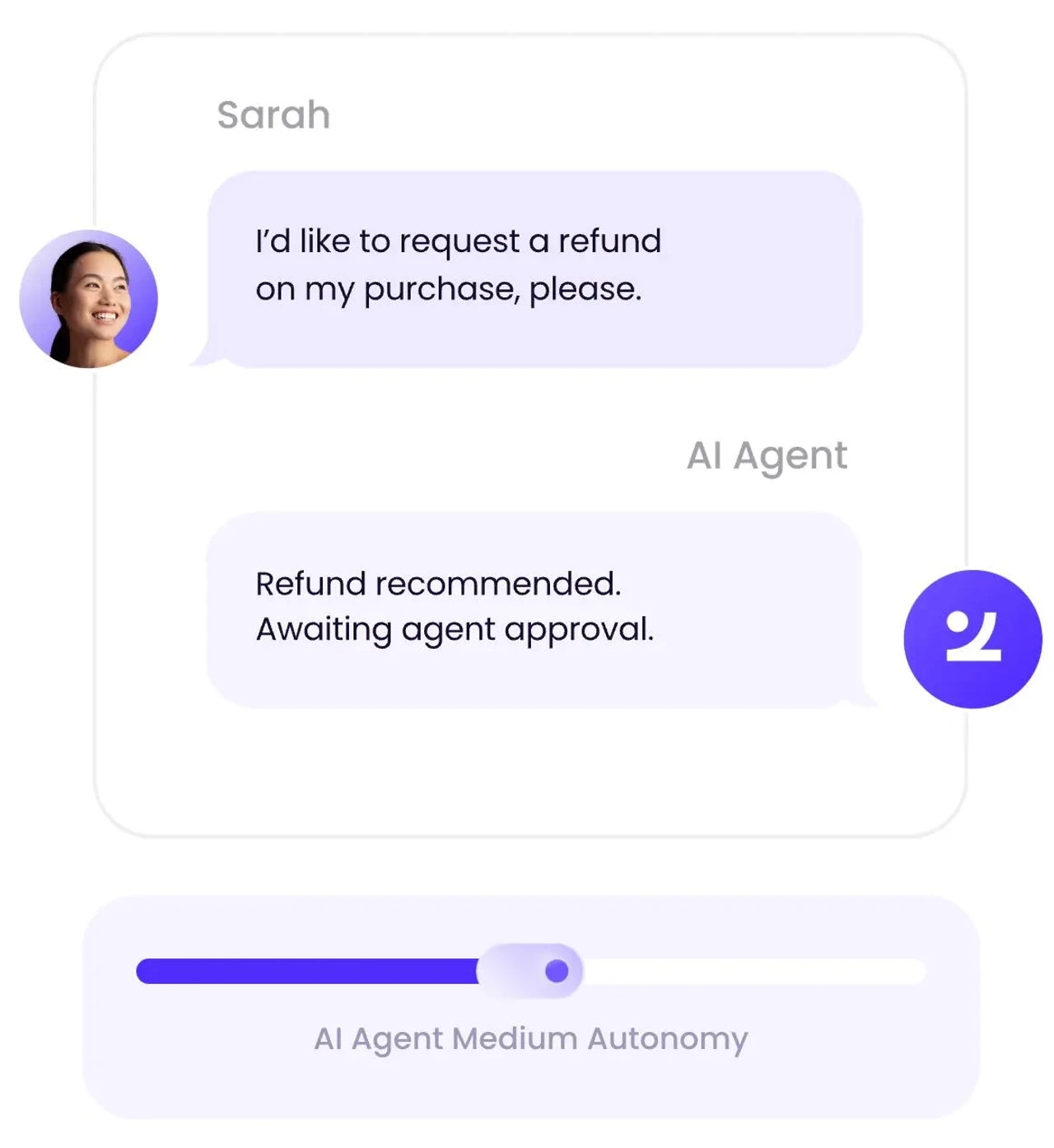
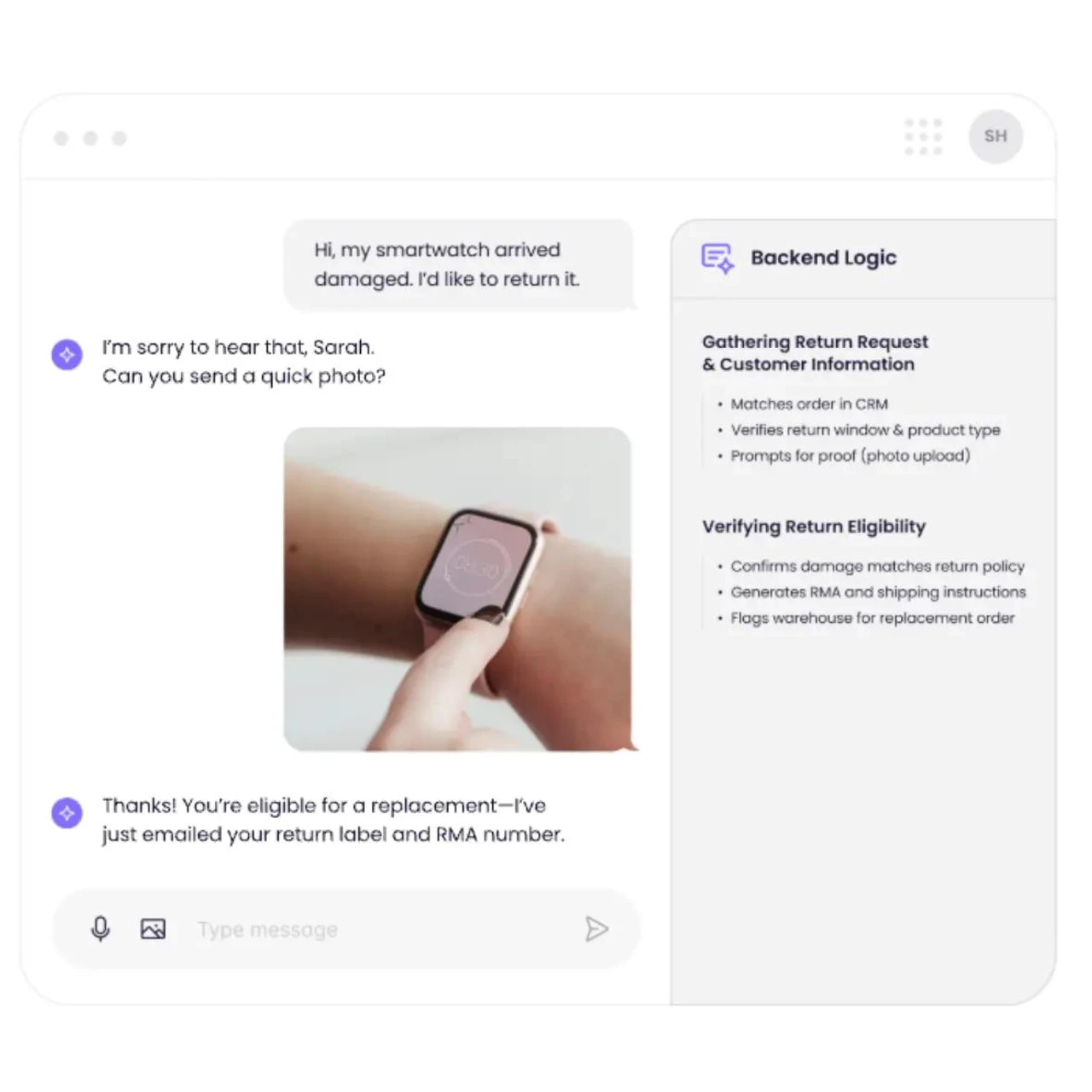
Zingtree Overview
Zingtree is best suited for customer service, support, and operations teams that need to standardize complex processes and guide agents through consistent, repeatable workflows.
It is ideal for organizations that manage high call volumes, detailed troubleshooting paths, or compliance-heavy procedures and want to reduce errors, shorten training time, and ensure every agent follows the correct steps.
Zingtree Features and Capabilities
- Interactive Decision Trees
- No-Code Workflow Builder
- Embedded Agent Scripts
- Process Automation & Integrations
- Workflow Analytics & Optimization
- Omnichannel Capabilities
-
Provides highly structured, consistent workflows that reduce agent errors and improve process compliance.
-
Easy-to-use no-code builder makes it simple for non-technical teams to create and update decision trees.
-
Great for onboarding/training because agents can follow step-by-step guidance without memorizing procedures.
-
Integrates with major CRMs and CCaaS platforms so workflows appear directly in the agent’s workspace.
-
Strong analytics help teams identify bottlenecks and optimize troubleshooting paths over time.
-
Decision trees are static and rules-based, offering limited AI-driven adaptation or real-time insights.
-
It can become complex and difficult to maintain at scale as workflows grow and branch.
-
Lacks advanced coaching, QA automation, or performance insights found in agent assist tools.
-
Agents must follow predefined paths rather than receiving contextual guidance.
-
Limited usefulness for teams wanting dynamic or predictive workflows instead of manually built scripts.
Zingtree Alternatives & Competitors 2025
| Feature | Zingtree | Balto | Cresta | NICE | Observe AI | Genesys | Salesforce Service Cloud | Zendesk | Tethr | Stonly | ProcedureFlow |
|---|---|---|---|---|---|---|---|---|---|---|---|
| Decision Trees & Guided Workflows | |||||||||||
| No-Code Workflow Builder | |||||||||||
| Embedded Agent Scripts | |||||||||||
| Process Automation & Integrations | |||||||||||
| Workflow Analytics Tools | |||||||||||
| Real-Time Agent Guidance | |||||||||||
| Automated QA & Compliance | |||||||||||
| Scalability for Complex Workflows |
Top Zingtree Alternatives & Competitors
1. Balto

Balto is a real-time agent guidance platform that helps contact centers improve call quality, compliance, and customer experience by delivering dynamic prompts and workflow cues during live conversations.
While Zingtree focuses on static decision trees and structured, rules-based workflows that agents follow step by step, Balto emphasizes AI-driven guidance that adapts to what the customer says in real time. This lets teams replace rigid scripts with contextual support that improves outcomes in the moment.
Key features
-
Real-time on-screen prompts and dynamic workflows that adjust to the customer’s words
-
Automated compliance monitoring with instant alerts for required disclosures and process steps
-
Real-time QA scoring and performance analytics tied directly to agent behavior
-
Playbooks that trigger based on keywords, objections, or intent signals
-
Post-call insights powered by real-time interaction data
-
Integrations with major CCaaS, telephony, and CRM platforms to guide agents inside their existing workflows
-
Delivers in-the-moment guidance rather than requiring agents to manually navigate decision trees
-
Reduces repeat calls and improves CSAT by helping agents resolve issues correctly the first time
-
Automates QA scoring and compliance tracking without relying on manual review
-
Shortens onboarding time by giving new agents live support where they need it most
-
Scales far more efficiently than maintaining dozens or hundreds of manual decision trees
-
Not a replacement for visual process maps or detailed troubleshooting documentation
-
Does not offer a drag-and-drop decision tree builder like Zingtree
-
Works best in voice-centric environments rather than deep back-office process mapping
-
Requires speech recognition and telephony integration to deliver real-time cues
Contact centers that want to move beyond static workflows and scripted processes toward real-time, AI-driven agent assist. Ideal for organizations focused on improving compliance, reducing errors, and lifting CSAT by guiding agents during the call rather than after it, offering a more adaptive alternative to Zingtree’s rules-based decision trees.
Why Are Contact Centers Switching From Zingtree to Balto?

Real-Time Guidance Instead of Static Decision Trees
Zingtree requires agents to manually navigate scripts, while Balto delivers dynamic prompts in real time that adapt to what the customer says.

Less Maintenance, Faster Scalability
Balto eliminates the need to build and update large, complex decision trees by using AI-driven workflows that scale automatically across teams.

Trusted by Top Contact Centers
Your business is in good hands with Balto. With a 4.8 rating and over 300 reviews on G2, Balto is the favorite real-time solution for top-performing contact centers.
Why You Should Choose Balto Over Zingtree
With our smarter AI, simple onboarding with one-day integrations, and focus on agent empowerment, we think the choice is clear. We invite you to get a demo to see the difference for yourself.
Here's what our fans have to say on G2
Justin N.
Mid-Market, Customer Service
Easy Peasy. Balto allows me to focus on my calls because of the help it gives especially with the notes that it generates. It would allow me to not worry about my notes which is a requirement for my job. Balto is a big help for my daily tasks.
Ali C.
Small Business, Sales
Life changing. Balto capture the conversation accurately and it summarizes everything.
Christian E.
Mid-Market, Sales & Compliance
Balto makes life easy! What I love most about Balto is the real-time coaching feature. It’s amazing how I can get live feedback and guidance during calls, helping me stay on track and handle tough objections smoothly. Instead of waiting for post-call reviews, I’m able to improve instantly, which boosts my confidence and performance right in the moment.
Vincent V.
Enterprise, Customer Service
An amazing tool for our operations. Its summarization feature for every call, almost every feature that balto has saves our company so much time. And its AI is so helpful making me save 50-70 percent of my time on work. I can hardly think of dislikes.
2. Cresta

Cresta is an AI-powered agent assist and coaching platform that helps contact centers improve sales, service quality, and operational efficiency through real-time intelligence.
While Zingtree provides structured, rules-based decision trees that guide agents through predetermined workflows, Cresta emphasizes AI-driven recommendations, behavioral insights, and adaptive guidance that responds to live customer conversations.
Key features
-
Real-time agent assist with next-best-action guidance powered by conversational AI
-
Live coaching cues that improve empathy, objection handling, and call control
-
Post-call analytics and coaching dashboards with insight into behaviors and outcomes
-
AI-generated summaries, dispositions, and after-call notes
-
Playbooks that automatically surface relevant responses based on customer intent
-
Integrations with major CCaaS and CRM platforms for seamless in-workflow intelligence
-
Highly adaptive AI guidance that reduces reliance on manual decision trees
-
Improves agent performance in real time with personalized coaching
-
Strong analytics that connect agent behaviors to business outcomes
-
Reduces after-call work with automated summaries and dispositions
-
Scales more easily than maintaining large sets of branching workflows
-
Not ideal for organizations that require highly prescriptive, compliance-heavy scripts
-
Lacks a visual decision-tree builder for teams that prefer explicit step-by-step flows
-
Requires AI training and tuning, which may increase implementation complexity
-
More expensive than workflow-only tools like Zingtree
-
Best suited for voice interactions rather than complex back-office process mapping
Contact centers that want to upgrade from static decision trees to adaptive, AI-powered agent assist. Cresta is ideal for teams focused on improving sales outcomes, coaching effectiveness, and agent productivity through real-time intelligence rather than manual scripting.
3. NICE

NICE is an enterprise customer experience, analytics, and workforce optimization platform that provides advanced automation, AI-driven insights, and large-scale operational tools for contact centers.
While Zingtree focuses on structured decision trees and guided workflows that help agents follow consistent procedures, NICE offers a far broader suite, including Enlighten AI for behavioral insights, workflow automation, quality management, and real-time guidance modules.
Key features
-
Enlighten AI for real-time insights, sentiment, and behavioral analysis
-
Advanced workflow automation across customer journeys and back-office processes
-
Quality management, coaching tools, and comprehensive performance analytics
-
Interaction analytics across voice and digital channels at enterprise scale
-
Integrated omnichannel routing, CX management, and workforce optimization
-
Deep integrations with CCaaS, CRM, and automation systems
-
Far more scalable and feature-rich than rules-based workflow tools like Zingtree
-
AI-driven insights and automation reduce reliance on manual scripting
-
Strong QM and coaching tools help improve agent performance across the full customer journey
-
Ideal for organizations needing enterprise reliability, governance, and global deployment
-
Supports both real-time and post-call intelligence for continuous operational improvement
-
More complex to implement and administer than Zingtree
-
Higher cost makes it less accessible for smaller teams or simple workflow use cases
-
Does not offer a simple no-code decision-tree builder for highly prescriptive workflows
-
Some real-time capabilities require additional Enlighten modules
-
Overkill for teams that only need basic troubleshooting flows or scripted guidance
Enterprise contact centers that need AI-driven analytics, workflow automation, and large-scale operational intelligence rather than static decision-tree workflows.
4. Observe AI

Observe AI is a contact center analytics and quality automation platform that analyzes 100 percent of customer interactions to surface sentiment, compliance risks, and coaching insights.
While Zingtree focuses on guiding agents through predefined workflows and decision trees, Observe AI emphasizes post-call analytics, automated QA, and performance improvement.
Key features
-
AI-powered transcription and sentiment analysis across all calls
-
Automated QA scoring and compliance monitoring
-
Behavior and intent detection for performance coaching
-
Topic clustering and interaction categorization at scale
-
Supervisor dashboards that highlight top coaching opportunities
-
Integrations with CCaaS and CRM environments for deeper operational insights
-
Reduces manual QA effort with automated scoring across every interaction
-
Provides deep visibility into customer sentiment, compliance gaps, and behavior trends
-
Helps coaching teams identify performance issues faster than script-driven workflows
-
Removes reliance on manually built decision trees by analyzing actual conversation dynamics
-
Scales easily across large, multi-team contact center operations
-
Does not provide guided workflows or real-time scripting like Zingtree
-
Lacks a no-code builder for step-by-step troubleshooting paths
-
Insights are primarily post-call unless combined with additional agent-assist tools
-
More complex and resource-intensive to implement compared to Zingtree’s simple flows
-
Not designed for back-office processes or highly prescriptive operational steps
Contact centers seeking advanced analytics, automated QA, and coaching insights rather than scripted workflows.
5. Genesys

Genesys is a leading CCaaS platform that offers omnichannel routing, workforce engagement tools, and built-in agent scripting and workflow automation.
While Zingtree provides standalone decision trees and guided workflows, Genesys embeds native scripting, next-best-action flows, and automation directly into the agent desktop.
Key features
-
Built-in agent scripting for consistent call handling and compliance
-
Workflow automation that supports branching logic and next-best-step guidance
-
Omnichannel routing integrated with agent workflows
-
AI-powered intent detection and customer journey analytics
-
Supervisor dashboards for performance and process adherence
-
Deep integrations across CRM, WFM, and QA systems
-
Native scripts and workflows eliminate the need to maintain separate decision-tree tools
-
Strong automation capabilities help standardize processes across channels
-
Centralizes customer interactions, routing, and guidance in one platform
-
Scales easily for enterprise or multi-site operations
-
Offers additional AI and analytics that go beyond Zingtree’s rule-based workflows
-
Workflow customization may require more technical resources than Zingtree’s no-code builder
-
Overkill for teams that only need lightweight troubleshooting flows
-
Real-time guidance is limited without add-on AI modules
-
Licensing costs are significantly higher for smaller teams
-
Not ideal for organizations seeking a standalone workflow builder outside their CCaaS ecosystem
Contact centers that want guided workflows, scripting, and automation built directly into their CCaaS platform. Genesys is ideal for teams ready to consolidate tools and unify routing, guidance, and operations, while Zingtree is better suited for simple, standalone decision-tree workflows without full platform integration.
6. Salesforce Service Cloud

Salesforce Service Cloud provides case management, automation, and agent workflow tools designed to streamline customer support operations across channels.
While Zingtree offers standalone decision trees and guided scripts, Salesforce enables teams to build Flows, dynamic screen guides, next-best-action prompts, and automated processes directly inside the CRM.
Key features
-
Salesforce Flows for building branching logic, screen guides, and dynamic workflows
-
Case management, macros, and automated escalations
-
Next Best Action recommendations powered by Salesforce Einstein
-
Knowledge base and contextual article surfacing
-
Deep integration across sales, service, and operations workflows
-
Configurable agent console for streamlined, in-CRM guidance
-
Native workflows eliminate the need for maintaining separate decision-tree tools
-
Strong automation that connects guidance directly to customer records and case data
-
Highly customizable for organizations with complex processes
-
Einstein AI provides intelligent recommendations beyond scripted logic
-
Unified platform simplifies agent experience and reduces tool switching
-
Workflow building and maintenance require more technical skill than Zingtree’s no-code editor
-
It can become expensive as automation and AI capabilities scale
-
Overly complex for teams that only need simple troubleshooting scripts
-
Not purpose-built for call center real-time agent assist
-
Implementation timelines are longer than with Zingtree’s lightweight setup
Organizations already using Salesforce that want guided workflows, screen flows, and process automation directly inside the CRM.
7. Zendesk

Zendesk is a customer service and ticketing platform that offers integrated agent workspace tools, workflow automation, and guided resolution paths. While Zingtree provides standalone decision trees and branching scripts, Zendesk embeds guided workflows directly inside the support environment, allowing agents to follow structured steps while working on tickets.
Key features
-
Flow Builder for creating automated, branched workflows without code
-
Contextual Workspaces that guide agents based on ticket type or customer attributes
-
Integrated help center content and knowledge surfacing
-
Macros, triggers, and automations for streamlined case management
-
Omnichannel support (email, chat, voice, messaging) in one agent interface
-
Direct integrations with CRM, WFM, QA, and reporting tools
-
Embedded workflows allow agents to follow guided steps without switching tools
-
Easy-to-configure automations reduce repetitive tasks and manual decision-making
-
Strong knowledge integration provides context during troubleshooting
-
Ideal for support teams that want ticketing + workflows in one environment
-
Scales well for teams already invested in Zendesk’s platform
-
Workflow builder is less flexible than Zingtree’s dedicated decision-tree editor
-
Limited support for highly complex, multi-branch troubleshooting paths
-
No real-time agent coaching or AI-driven guidance
-
Knowledge and workflow updates may rely on admin or technical support
-
Overkill for small teams that only need simple scripts
Support organizations using Zendesk that want guided workflows woven directly into ticketing, case handling, and knowledge tools.
8. Tethr

Tethr is a conversation analytics and voice-of-customer platform that uses AI to analyze customer calls and identify insights that improve CX, reduce friction, and drive operational improvements.
While Zingtree focuses on guiding agents through predefined decision trees and scripted workflows, Tethr emphasizes conversation intelligence, root-cause analysis, and effort scoring, helping organizations understand where processes break down rather than prescribing step-by-step instructions.
Key features
-
AI-powered transcription, sentiment detection, and interaction scoring
-
Customer effort analysis to flag friction points and failure drivers
-
Automated categorization of call drivers and topics
-
Dashboards that reveal trends, compliance risks, and process gaps
-
Root-cause insights to guide operational or journey redesign
-
Integrations with telephony, CCaaS, CRM, and BI tools
-
Provides deep insights into where workflows actually break down
-
Identifies high-effort moments that Zingtree scripts may not capture
-
Helps teams prioritize fixes based on real customer impact
-
Scales easily across large call volumes for comprehensive visibility
-
Ideal for organizations wanting analytics to inform process design
-
Does not provide guided workflows or step-by-step scripting for agents
-
No no-code builder for troubleshooting flows or decision logic
-
Insights are post-call, not real-time or actionable in the moment
-
Requires more analysis and operational alignment than Zingtree’s simple workflows
-
Not suited for teams needing prescriptive, in-call guidance
Organizations that want to understand customer friction, failure patterns, and process inefficiencies using AI-driven analytics rather than scripted workflows. Tethr is ideal for teams focused on improving CX and root-cause visibility, while Zingtree remains a better fit for guiding agents through explicit, rules-based procedures.
9. Stonly

Stonly is an interactive guide platform that helps teams create step-by-step walkthroughs for customer support, onboarding, troubleshooting, and internal processes.
While Zingtree centers on structured decision trees and agent-facing workflows, Stonly emphasizes interactive, visual guides that can be delivered to both agents and end customers.
Key features
-
Interactive, clickable guides for support, onboarding, and troubleshooting
-
Visual flow builder with branching paths and conditional steps
-
Embeddable guides for help centers, SaaS products, and agent desktops
-
Self-service automation for customers to resolve issues without contacting support
-
Analytics on guide usage, drop-off points, and resolution success
-
Integrations with CRMs, support tools, and knowledge bases
-
Highly polished, user-friendly guides that work for both customers and agents
-
Strong self-service capabilities that reduce support volume
-
Easier to deploy for customer-facing use cases than Zingtree’s agent workflows
-
Simple visual builder that’s approachable for non-technical teams
-
Great for onboarding flows, feature adoption, and repetitive troubleshooting steps
-
Lacks the deeper process logic and rigid scripting that Zingtree supports
-
Not ideal for complex, multi-branch operational workflows
-
No real-time agent guidance or AI-driven recommendations
-
Limited compliance or QA automation compared to other alternatives
-
May require additional systems for analytics, call handling, or process adherence
Teams needing intuitive, interactive guides for both agents and customers — especially when self-service and onboarding are priorities. Stonly is ideal for support teams and SaaS onboarding, while Zingtree is better suited for internal, step-by-step operational workflows that require strict consistency.
10. Procedureflow

ProcedureFlow is a visual process knowledge platform that turns complex operational procedures into simple, map-like guides that agents can follow step by step.
While Zingtree provides interactive decision trees and branching scripting logic, ProcedureFlow focuses on visual process mapping to help teams document, standardize, and train on complex workflows.
Key features
-
Visual, map-style workflows for documenting and standardizing procedures
-
Step-by-step guides that break complex processes into simple actions
-
Version control and governance tools for maintaining process accuracy
-
Role-based views to tailor workflows for different agent groups
-
Training and onboarding tools built around guided process maps
-
Integration options for embedding workflows into support environments
-
Highly visual and intuitive approach to documenting complex procedures
-
Strong for onboarding and reducing training time
-
Makes it easy to maintain standardized processes across distributed teams
-
Clear version history and governance improve procedural accuracy
-
Great for industries with strict compliance or multi-step operational workflows
-
Less interactive and dynamic than Zingtree’s branching decision trees
-
Not ideal for troubleshooting or real-time decision logic
-
No AI-driven or real-time guidance capabilities
-
Limited automation or integration depth compared to other alternatives
-
May require additional tools for agent scripting, ticketing, or coaching workflows
Organizations that need to visually document and standardize complex procedures across large or distributed teams. ProcedureFlow is ideal for training and operational consistency, while Zingtree remains better for decision-based troubleshooting and interactive, branching workflows.
Key Features to Consider When Choosing Contact Center Software
When evaluating contact center software, it is important to understand which features will actually move the needle for agent performance, compliance, and customer experience. A strong platform should include agent guidance, workflow flexibility, and automation, among other core features.
When evaluating tools like Balto, NICE, and others, weigh how each performs in these key areas, balancing sophistication with usability to match your organization’s size, goals, and customer experience strategy.
Top Zingtree Alternatives
Top Zingtree alternatives include platforms like Balto, Cresta, NICE, and Genesys, each offering different strengths across real-time agent guidance, workflow automation, quality assurance, and customer experience optimization.
When comparing solutions, buyers should evaluate how a platform handles workflow complexity, automation, AI guidance, and whether it improves agent performance during live interactions or relies solely on static, rules-based decision trees.
Balto stands out because it delivers real-time, adaptive guidance that gives agents dynamic prompts, compliance cues, and next-best-step workflows during calls, providing in-the-moment support that scripted tools like Zingtree cannot.
FAQs
The top Zingtree competitors include Balto, Cresta, NICE, Genesys, Salesforce Service Cloud, Zendesk, Tethr, Stonly, and ProcedureFlow. Each offers different strengths across real-time guidance, workflow automation, agent scripting, analytics, and process standardization.
Zingtree provides static, rules-based decision trees that agents must manually follow, while Balto delivers real-time, AI-driven guidance that adapts to what the customer says during the call.
Balto helps agents reduce errors, improve compliance, and resolve issues faster by giving them contextual prompts in the moment, rather than prebuilt scripts they must navigate.
No. Zingtree specializes in guided workflows and decision trees but does not offer AI-driven agent assist, automated QA, or real-time coaching. Market leaders in AI-driven contact center software include platforms like Balto, Cresta, Observe AI, and NICE.
Balto is widely recognized as the leading solution for real-time agent coaching and adaptive guidance. It provides dynamic prompts, compliance cues, and contextual workflows during live calls, something workflow-only tools like Zingtree and analytics platforms cannot deliver.
Teams should evaluate whether they need real-time guidance, automation, AI-driven adaptation, deeper performance insights, or scalable workflow management.
Consider how easily the platform integrates with your CCaaS/CRM, whether it reduces workflow maintenance, and how well it improves customer outcomes during interactions.
Found What You Were Looking For? Discover the Better Alternative — Balto.
See how Balto outperforms other AI solutions with real-time guidance, QA automation, and insights that instantly improve agent performance.